

The platform
Inside GRC Flow
Governance, risk and compliance, with the IT operations they depend on, in one platform: why it is worth your time, what sets it apart, and how to use each part.
Two sides, one company
Governance, risk & compliance
One company profile
Filled once and reused by every service. With an account, a deliverable from either side can feed a service on the other.
Understand
One platform for governance, risk, compliance and the IT behind them
Start here to see what the platform covers.
GRC Flow produces the documents a company needs to govern its risks and prove its compliance: risk studies, policies, gap assessments, registers. Its services also cover the IT operations those documents depend on: networks, vulnerabilities, incidents, service levels, software and cloud. Both start from the same company profile, so a risk study and a network design describe the same company.
How to use it
- Each service belongs to a domain: context, documentation, risk management, NIST RMF, vulnerabilities, compliance, IT and network operations.
- The company profile, filled once, is reused by every service.
Good to know
Each service covers its own subject; the decisions stay with the people responsible for them.
Understand
What sets GRC Flow apart
Read this if you wonder what it brings beyond a template or a general AI tool.
Four things work together. One company profile serves governance and IT alike. Any deliverable can feed any other service, so nothing is typed twice. What can be calculated is calculated by code, and the AI writes only from your answers. Your data is protected before any AI call.
How to use it
- On its own, each service gives you a finished deliverable.
- Together, they form a chain: one Asset Inventory can feed EBIOS RM Workshop 1 on the risk side and the Vulnerability Register on the IT side.
- From that register, Vulnerability Prioritization & Triage and then the Vulnerability Remediation Plan carry on the same work, each reusing what came before.
Good to know
A chain is your choice: you select the deliverables, nothing is linked for you.
Discover
Services that produce finished deliverables
Use a service when you need one finished document: a risk register, a policy, a subnet plan.
Each service turns a structured form into a professional deliverable: a register, a plan, an analysis or a policy. What can be calculated is calculated by the code, such as risk levels, deadlines, downtime allowed or subnets; where the service uses AI, it writes the text from your answers.
How to use it
- Choose a service and fill its form: a question appears only when it applies.
- Run it at the price shown beside the Run button.
- Receive the deliverable, ready to edit, approve and export.
- With an account, a form you leave before running it is kept as a draft and given back at your next sign-in, on any device; the draft is deleted once the form is run or discarded.
- Common to every service: the company profile, a form, and a deliverable you edit, approve and export. Specific to some: writing by the AI, exact calculations, questionnaires by framework, alerts.
Good to know
A deliverable states only what the form and the selected deliverables give: nothing is assumed about the company.
Discover
Free runs to see a real deliverableWith an account
Use them to judge a service on your own case before paying for it.
Some services include free runs for account holders, given each month. Your service list and the form show what is left, and what you produce stays in your account, ready to feed the next service.
How to use it
- Create your account and verify your email.
- Open a service that shows free runs and complete its form.
- Run it: nothing is charged while you have free runs left.
Good to know
Free runs are never carried to the next month or to another service, and a disposable address is refused. Afterwards each run is paid at the price shown beside Run.
Discover
Services that feed one anotherWith an account
Use it as soon as a deliverable you already have holds what the next service asks.
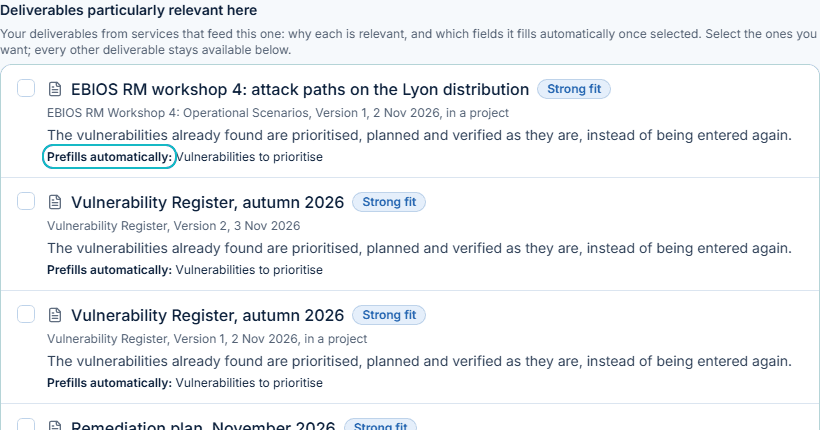
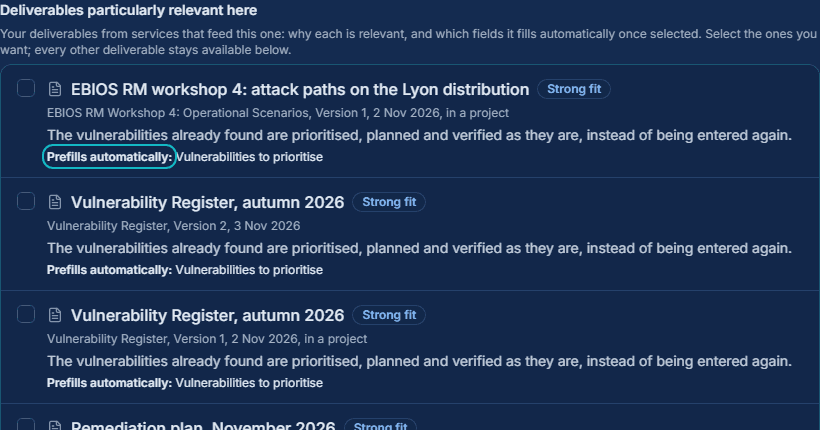
A deliverable already produced can be selected as a source for another service: its information is reused instead of typed again, and the AI reads it in full for the new task. For each service, the deliverables that feed it particularly well are suggested, with the reason and the fields they fill. GRC and IT Operations describe the same company, its sites, systems and measures, so their services feed each other: the sites of an IP addressing plan fill those of a scope definition. Less typing, the same information from one deliverable to the next, and documents consistent with each other.
How to use it
- In the first section of a form, select any of your deliverables, from any service.
- The deliverables particularly relevant come first, each with why and the fields it fills automatically; nothing is selected for you.
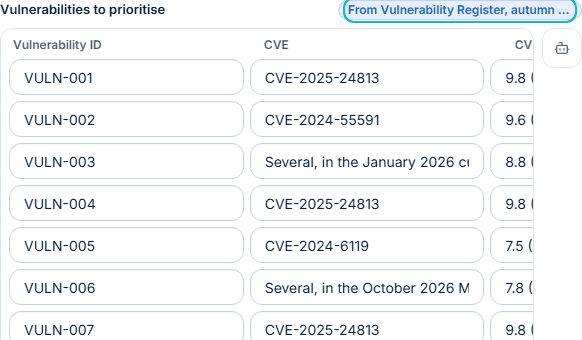
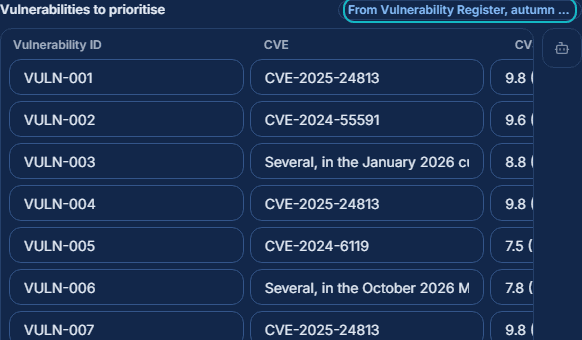
- The fields a deliverable answers are filled and marked with their origin, and stay editable. When two deliverables disagree, both values are shown and you choose.
- Add a short instruction to each deliverable: what to take from it, what to ignore.
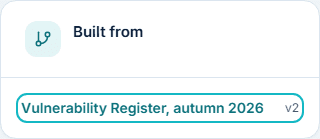
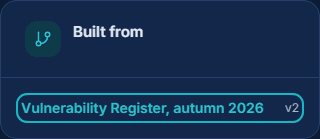
- The new deliverable lists the deliverables it was built from.
Good to know
Connected services need an account: a visitor runs each service on its own. A field is filled only where both services give the information the same meaning.


See it work
Your data protected before any AI call
Use it before running a service with AI, above all when your answers hold names or sensitive details.
Before a service calls an AI provider, people's names, email addresses and company names are replaced, then put back in your deliverable. You add the words to hide and the fields to keep from the AI, and just above Run a summary says what the provider will receive.
How to use it
- Set what is replaced by default in Settings.
- In a form, list the words to hide and choose the fields to keep from the AI.
- Choose whether your form answers are deleted after the run.
- Download all your data at any time from Settings.
Good to know
What is neither listed nor detected is sent as written: a person's name in free text is detected after a title such as Dr, or when you list it, and the summary points out what it found in your answers. An account unused for 12 months receives three emails, then is archived at 14 months: nothing is deleted, and signing in again ends the archiving.


See it work
Deliverables you keep in hand
Use it once a service has run: your review makes the document yours.
Every deliverable can be edited, approved and exported. The editor changes any text and the presentation, from titles and tables to cover, theme, fonts and colours, then produces the PDF. A deliverable built from others lists them, and is marked as outdated when one of them changes.
How to use it
- Open the deliverable to edit and approve it.
- Customise its layout and export it as a PDF once approved.
- Within a project, every version is kept and an earlier one can be restored.
Good to know
Outside a project, one version of a deliverable is kept: when a second exists, you choose which one stays.
See it work
Evidence ready for the auditWith an account
Use it when an audit is coming and the proof is scattered across folders.
The proof behind your controls is kept in one place: files stored here or links to where they live, attached to a company, a project, controls and deliverables. For each control you see whether its evidence is available, expired or missing, when it was last reviewed and who owns it.
How to use it
- Add a file or a link and attach it to the controls and deliverables it proves.
- Add a new version when the evidence is renewed; earlier versions are kept.
- Search the evidence and check the status of each control before an audit.
Good to know
Evidence needs an account. The same file is never stored twice, and programs are refused.
See it work
Reports for the people who decideWith an account
Use it before a management review or a steering meeting.
A report gathers your latest saved deliverables in a layout made for its readers, with the decisions expected and the actions to follow. Templates such as the compliance review or the executive briefing fill their sections from your deliverables.
How to use it
- Choose a template for a company.
- Review the sections drawn from your deliverables and add your commentary.
- Present it full screen in the meeting, then follow the decisions and actions.
Good to know
A section is filled only from a deliverable already saved.
See it work
Every SaaS cancellation deadline in viewWith an account
Use it when subscriptions renew across the company and nobody owns the dates.
The SaaS tracker lists every subscription, its cancellation deadline first. Deadlines are calculated and alerts leave by themselves, by notification and email, while decisions, negotiations and approvals are kept over time.
How to use it
- Add your subscriptions one by one, or paste your list from a spreadsheet.
- Choose how many days before a deadline you are alerted.
- Follow the calendar, the vendors, the costs and the licenses.
Good to know
The tracker is a subscription for each company followed. Unpaid, alerts stop and what is there stays readable.
Learn
Projects that follow a whole method
Use a project when the work follows a method over several weeks.
A project groups the services of a method, such as EBIOS RM or the NIST Risk Management Framework, or your own selection, as steps. Each step suggests the deliverables of the steps before it, and the runs included are paid once for the period.
How to use it
- Choose a project type or build your own from any services.
- Run the steps in the order that suits you; earlier deliverables are suggested as sources.
- Renew the project for a new period when the work continues.
Good to know
Projects are for account holders.
Learn
Several companies, one accountWith an account
Use it when you work for several companies.
One account can work for several companies, each with its own profile, deliverables and progress, kept apart. A deliverable saved as a template starts the same document for another company, its name replaced, and each company can be invoiced with lines linked to the deliverables they pay for.
How to use it
- Add a company and fill its profile.
- Save a finished deliverable as a template, then start it for another company.
- Create an invoice for a company, link its lines to deliverables, and issue it: it is numbered when issued.
Good to know
A template copies one deliverable and replaces the company name only: review the rest before you approve it.
Learn
Working groups with people from outsideWith an account
Use it when several people, inside or outside your company, work on the same subject.
Any account can create a group and invite people by email. A group has its own projects, deliverables and credits, so you work together without opening your account: what is yours stays private.
How to use it
- Create a group under Working groups: you are its administrator.
- Invite people by email and give each a role: administrator, collaborator or viewer.
- Copy a deliverable into the group, or open a project in it.
- Prepare case studies together from the group's deliverables, then publish them anonymized.
Good to know
Joining requires an account on the address invited. A service run on its own is paid by the person who launches it; a group's project by a member, or from the group's credits by an administrator.


Learn
Sharing without giving access
Use it when an auditor, a customer or a partner must read a document without an account.
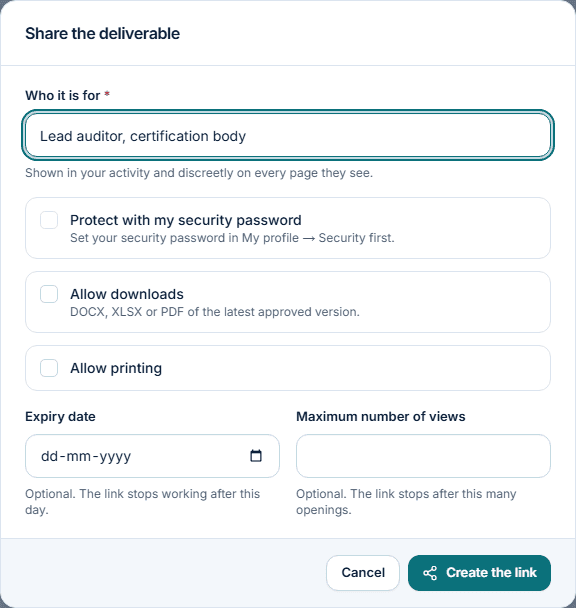
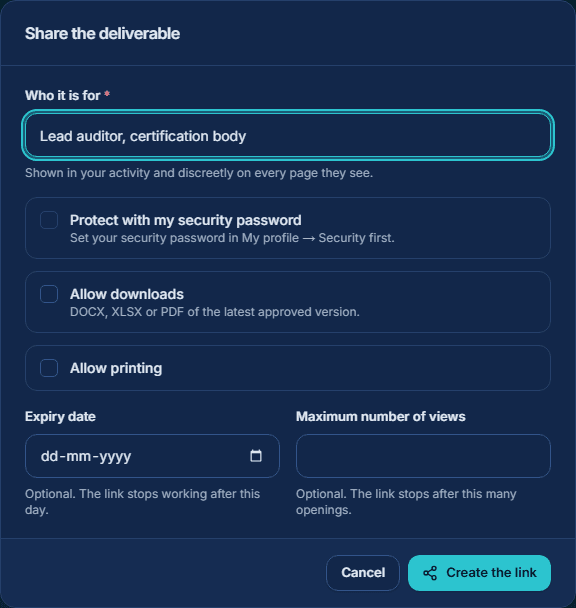
An approved deliverable or a report can be shared through a private link: the person opens it without an account and sees that document only. For a deliverable you decide how long the link lasts, how many times it opens and whether it can be downloaded or printed; every page carries a discreet mark with the recipient's name, and you see the views and downloads.
How to use it
- Approve the deliverable, then choose Share.
- Name the recipient and set the expiry date, the number of views, downloads and printing.
- Add your security password if the person must type it to open the link.
- Copy the link, shown only once, and disable it when it is no longer needed.
Good to know
Shared pages are never indexed by search engines. A report's links can be revoked one by one or all at once.
Learn
Your work, seen outside GRC FlowWith an account
Use it when you want to show your expertise or bring others to the platform.
A public profile and a company page present your expertise, certifications and publications. A deliverable can become an anonymized case study or template: GRC Flow copies it and removes names, addresses and links. Your referral link brings you in credits 10% of what the accounts you bring pay.
How to use it
- Complete My profile, choose what is public field by field, and publish it.
- Publish from a deliverable: review the anonymized copy, then confirm that no confidential data remains.
- Share your referral link, found in My profile.
Good to know
Nothing is public until you publish it. Levels and badges show your activity on the platform: they are never a certification.
Use
How to start
Follow these steps for your first deliverable.
Four steps take you from an account to a finished deliverable, and that deliverable can feed the next service.
How to use it
- Create your account and fill your company profile once.
- Choose a service, select the deliverables that should feed it, and complete the form.
- Check what the AI provider will receive, then run the service at the price shown beside Run.
- Edit, approve and export the deliverable, or use it as the source of the next service.
Good to know
A visitor can run a service on its own, without an account. Connected services, free runs, projects and working groups need an account.